
CorelDraw Vector Graphic Course
For CNC Router, Laser Cutting, & Printing
Professional CorelDRAW training for CNC machining, laser cutting, engraving, signage, and printing.
 Tariq Anwar
Description
Master professional vector graphic design with our CorelDRAW Vector Graphics Course, designed for CNC Routers, Laser Cutting, CNC Engraving, UV Printing, DTF Printing, Vinyl Cutting, and other CNC printing applications. Learn vector tracing, logo design, typography, layout creation, contour cutting, and production-ready file preparation. Create machine-compatible designs for signboards, jali patterns, engraving, stickers, acrylic, MDF, and customized products while gaining the skills needed for the CNC, signage, and printing industries.
What you'll learn
CorelDRAW interface and essential design tools
Vector drawing, tracing, and node editing
Logo, signage, and layout design
CNC-ready file preparation and optimization
Designs for laser cutting, engraving, and CNC routers
Print-ready artwork for UV, DTF, and vinyl printing
Export files in CDR, AI, SVG, DXF, EPS, and PDF formats
Course Content
8 sections · 0 lectures · 0m total
Module 1: CorelDRAW Basics & CNC Workspace Setup
Module 2: Creating and Editing Shapes for CNC Cutting
Module 3: Path Editing & Vector Tracing for CNC
Module 4: Advanced Text & Engraving Effects
Module 5: Layering & Design Management for CNC Workflow
Module 6: Creating Jali Designs & Patterns
Module 7: CNC Printing & Color Management
Module 8: Optimization & Finalizing CNC Designs
Who can Learn This Course
- Beginners with no prior experience
- CNC Router Machine Operators
- Laser Cutting & Engraving Operators
- Printing and Signage Professionals
- Graphic Designers and Freelancers
- Students and Business Owners
- Anyone interested in vector graphic design
Basic Requirements for this course
- No prior CorelDRAW knowledge required
- Basic computer operating skills
- Willingness to learn and practice
- CorelDRAW software installed (latest or supported version)
System Requirements
| Specification | Requirement |
|---|---|
| Operating System | Microsoft® Windows® 7 64-bit, Windows 8.1 64-bit, Windows 10 64-bit or Windows 11 64-bit |
| CPU Type | 64-bit single- or multi-core Intel® or AMD® processor with SSE2 technology Highest affordable CPU speed rating recommended |
| Memory | 8 GB RAM (16 GB RAM recommended) |
| Display Resolution | 1280 x 1024 (1920 x 1200 or higher recommended) with True Color |
| Display Card | 2 GB RAM (4 GB RAM recommended), OpenGL® 4.0 compliant and DirectX® 11 compliant * Enhanced support for Intel® and AMD® graphics included in 2018.1 Update |
| Disk Space | Installation 5 GB free disk space (500 GB recommended) |
| Browser | Microsoft® Internet Explorer® 11, required by software interface |
Your Instructor
Tariq Anwar
Industrial CAD/CAM Trainer & CNC Machine Specialist | 14+ Years Industry Experience
I am a CNC professional with over 14 years of experience working in the field of CNC machines, including laser machines, routers, bending machines, printers, and laser welding machines. I worked as a Design and Production Engineer, where I gained in-depth knowledge of CAD/CAM software and applied it to real-world manufacturing and design projects. Now, I share my expertise by providing online training in CAD/CAM software, helping individuals and professionals enhance their skills and succeed in their careers.
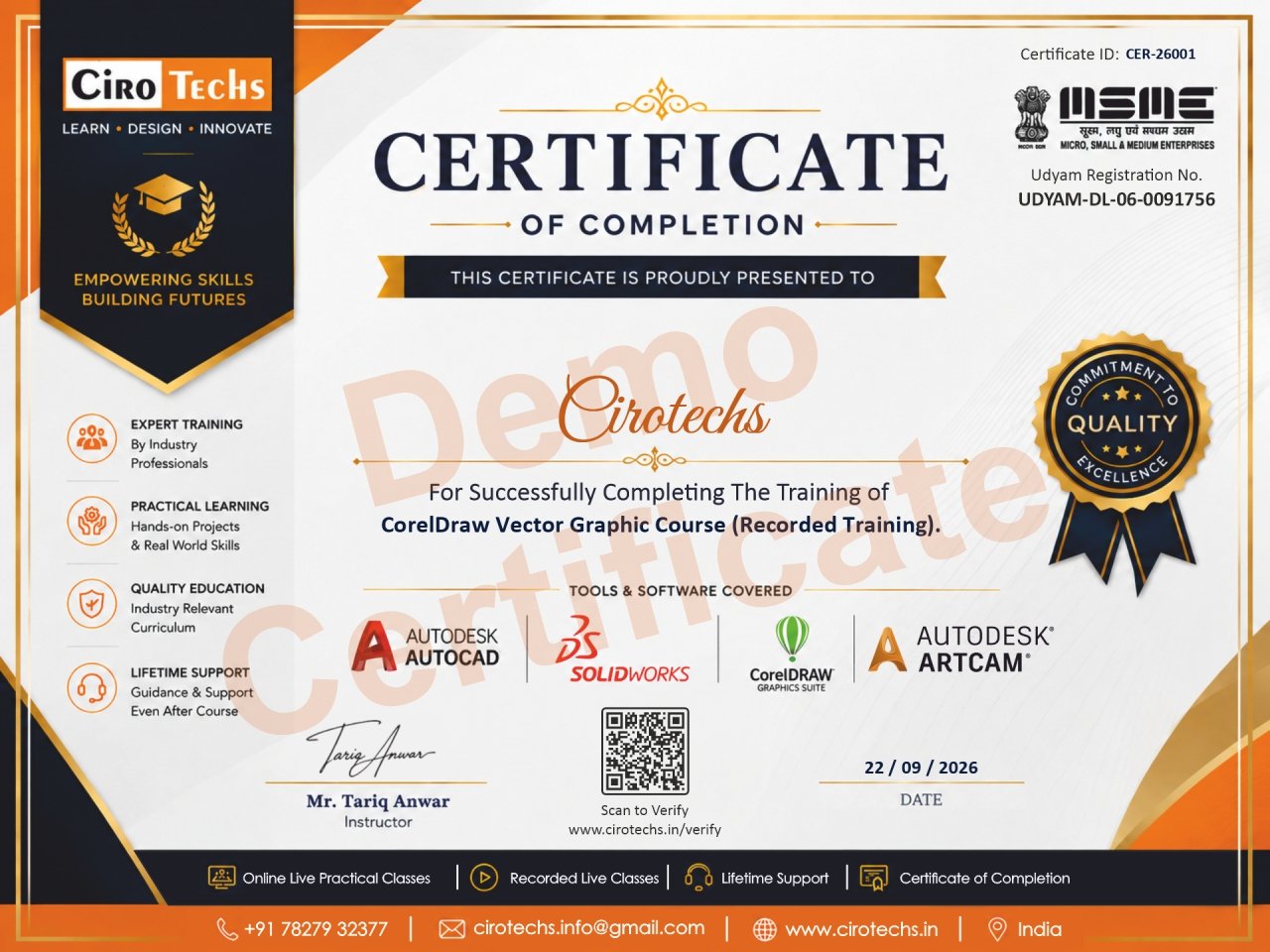
Certificate of Completion
Earn an Official, Verifiable Credential
Upon successfully finishing this course, you will receive an accredited Certificate of Completion to showcase your new industry skills.
Shareable on LinkedIn & CV
Add directly to your LinkedIn profile, portfolio, and resume to stand out to employers.
Unique Verification QR Code
Every certificate includes a secure ID & scannable QR code for instant employer verification.
Industry-Recognized Proof
Demonstrates verified practical proficiency in ArtCAM & CNC production workflows.
Downloadable PDF
Download anytime in high-resolution, print-ready format directly from your student dashboard.
Student Reviews
No reviews yet. Be the first to review this course!
Share Your Experience
Let others know what you think about this course.
Self-Paced Recorded Course
CorelDraw Vector Graphic Course
Instant Access • Learn at Your Own Pace • All Videos & Practice Assets Included
1
Course Highlights & Deliverables
Everything you get upon instant enrollment
TOTAL ENROLLMENT FEE
₹3,999
₹4,499
SAVE ₹500 (11% OFF)
Complete step-by-step Full HD video lessons across all modules
Learn anytime, anywhere with 24/7 unlimited access on 2 devices
Downloadable practice vectors, 3D relief models & master project files
Official Course Completion Certificate with unique verification ID
Student forum, community discussion & doubt assistance
Instant account activation and immediate dashboard access
2
Fee Structure & Tax Breakdown
100% transparent pricing — no hidden fees or renewal charges| Full Course Tuition Fee | ₹3,999 |
| Government Taxes / GST Status Compliant with Indian Tax Regulations | 18% GST Included |
| Total Amount Payable One-time payment for 2 full years | ₹3,999 |
Live Interactive Batch
CorelDraw Vector Graphic Course
Live Batch
1
Live Mentorship Features & Deliverables
Direct live training with expert mentor + full backup resources
TOTAL LIVE CLASS FEE
₹11,599
₹12,500
SPECIAL OFFER
Interactive live classes with expert mentor on Zoom / Teams
Real-time doubt clearing & live Q&A in every single session
Full 9 modules HD recorded video backup included for revision
2 Years full access validity for all recorded video lectures
Login on up to 2 devices (Mobile / Desktop simultaneously)
Official Course Completion Certificate with serial verification
Downloadable practice vectors, relief files & project assets
Flexible payment: One-time full payment or Easy 2-part Installments
2
Fee Structure Breakdown
| 1. Registration Token (Pay Now to Lock Seat) Non-refundable booking fee to guarantee your batch slot | ₹999 |
| 2. 1st Installment Before class starts | ₹5,600 |
| 3. 2nd Installment After 20 days | ₹5,000 |
| GST Status | 18% GST Included |
| Total Course Fee (All Installments Summed) Registration Token + Both Installments | ₹11,599 |
Not Sure Which Course
to Start With?
Our advisors will guide you to the right course for your skill level and goals.